
1Win is a highly reputable international betting and casino platform that was launched in Nigeria in 2018. Since then, it has grown to be one of the local go-to betting spots because of its generous bonuses, diverse betting markets, and exemplary mobile presence. It also features several localised payments and NGN support, which further brings it into great favour among local players.

To experience the 1Win platforms, players need only to log in to their 1Win account – a process that is so easy even a beginner can do it. The platform offers multiple login methods – players just need to choose which works best for them.

1Win Nigeria Online Login

Logging in to 1Win is very easy, as long as there’s a reliable internet connection. It can be done using multiple methods:

  • Mobile app – Suitable for Android and iOS mobile users (Download 1Win app)
  • Website – Standard login method with all features included (1Win Website Login)
  • Mobile site – Ideal for devices with low storage and limited memory (1Win Mobile Site Sign-In)

How to Sign In to 1Win Nigeria Account through the Website

Of all the login methods available on 1Win, using the website is the most common. That’s because it’s easy and accessible, since the website can be opened using any internet-connected device. The 1Win website is also very easy to navigate, so logging in is a breeze.

Although there are some slight differences between the regular website and the mobile site, the login process is identical for both, and it is accomplished with the following steps:

  1. Launch the 1Win website. Tap on the 1Win link we have provided – this will take you to the official website.
  2. Click the Login Button. Enter your phone number or email, followed by your password, then tap sign in to submit.
  3. Login via Social. Alternatively, you can log in through one of the supported social networks that are linked to your account.

How to Sign In to 1Win Nigeria Account through Mobile App

1Win is available to mobile Nigerian players as a dedicated app for Android users and as a Progressive Web App for Apple users. Both apps mirror the website’s features and functionality, with added flexibility and convenience. Here are the device specifications for both apps:

System Requirements Android iOS
OS Version At least Android 5.0+ At least iOS 8.0+, 11.7+ recommended
RAM 1GB 1GB
Storage space 100MB minimum 100MB minimum
Internet 4G/Wi-Fi 4G/Wi-Fi

As for actually logging in through the app, here are the steps to follow:

1
Download the app

On the 1Win website, look for the app download links and follow the download/installation instructions carefully.
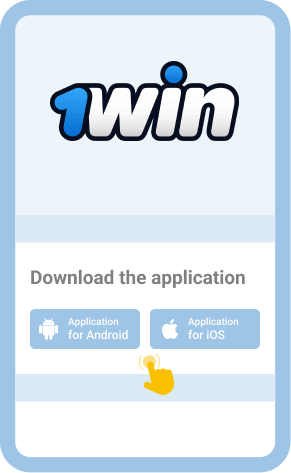
Download the 1Win app

2
Launch the app

Upon successfully installing the app onto your device, tap the icon on your device homescreen to launch it.
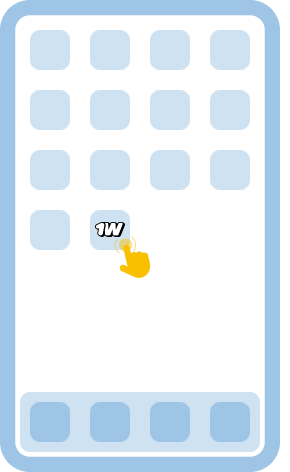
Launch the app

3
Tap on Login

Enter your login details into the sign-in form and submit by tapping the Login button.
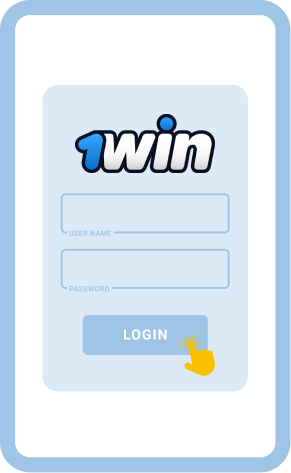
Tap on Login

4
Start playing

Once you’re in, you can deposit money, play games, place bets, and have fun.
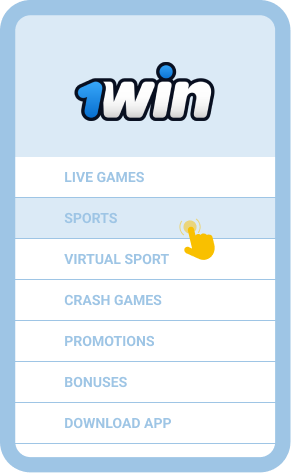
Start playing

Welcome Bonus
500% up to 970 000 NGN
Cashback Bonus
1-30% up to 960 000 NGN

Common Login Issues at 1Win Nigeria

1Win boasts of one of the most user-friendly interfaces among online casinos and sports betting sites today. But even with their simple navigation and intuitive layout, 1Win is not completely safe from login issues. If you are trying to log in and one of these problems suddenly comes up, don’t worry. We have some very helpful solutions right here that you can use in order to fix them and proceed with your login.

Problem How to resolve it
Forgot password Use the “Forgot Password” link on the login page, enter your registered email, and follow the reset instructions. If you don’t receive an email, check your spam folder and ensure the address is correct.
Login page won’t load Clear your browser cache or update the app, switch networks (Wi-Fi/mobile data), or try the mobile version. Persistent problems may mean a site outage. Wait 10 minutes, then retry.
App crashes Force close the app, update to the latest version, or reinstall. Ensure your device meetsthe minimum specs. Close background apps and free up memory to improve stability.
Account lockout If locked after too many attempts, wait for the temporary timer or request a reset via support. Provide verification details if required to unlock your account securely.

Getting in Touch with Customer Service

If the problem persists, it’s best to seek help from 1Win customer support. There are many ways to reach them, including 24/7 channels for matters that need to be addressed urgently.

FAQ

Can I still log in to my account after being inactive for a long time?
Yes. Nigerian players can log in after inactivity as long as the account is still active and hasn’t been closed for violations. Reset your password through support if needed, then resume play and betting.
Is logging into 1Win safe on public Wi-Fi?
Logging in on public Wi-Fi has a number of risks. Use a VPN or secure network to protect your credentials. Public networks can be intercepted, so avoid logging into financial or betting accounts without encryption.
Can I sign in with biometrics on mobile?
Absolutely, The 1Win app and mobile site both support biometric login options like fingerprint and facial recognition, so you can use this feature as long as you are using a compatible smartphone or tablet.