Being a relatively new betting platform has its perks; several gamblers are curious about your services. This is what Betano brings into the Nigerian betting market. Most users commend the bonuses the operator offers. With this, it’s just fitting to check them out yourself. Signing into your Betano account allows you to see the promotions, place bets, and enjoy all the services.
Betano imposes hassle-free login processes. If you’re new to the platform, there won’t be any complex login steps. You can open your account in a matter of seconds.
Betano Online Login
Since Betano is an online platform, you must connect your device to a reliable internet or Wi-Fi network. This applies regardless of the device you used. We guarantee that Betano Nigeria is accessible on almost all devices, whether it’s a PC, laptop, tablet, or smartphone.
- Mobile app – Best for iOS and Android mobile users (Download Betano App)
- Website – Maximum data consumption with all features present (Betano Website Login)
- Mobile site – Requires less Internet data than other login methods (Betano Mobile Site Sign-in)
How to Sign In to the Betano Account Through Website
Using the main website of Betano is the easiest way to access your account. You can use any desktop browser available on your device, including Google Chrome, Safari, or Mozilla Firefox. Look closely at the guide below to learn more about the login process.
- Follow our link to open Betano. It’s a legitimate link that directly and safely leads you to the bookmaker’s homepage.
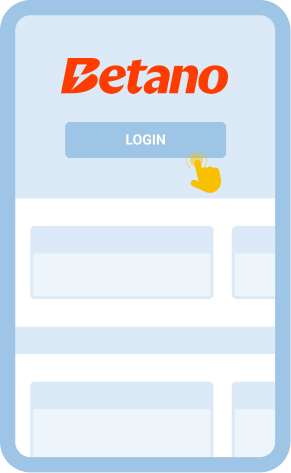
- Click ‘Login.’ This button is found at the upper-right corner of your screen. A clean login prompt will appear.
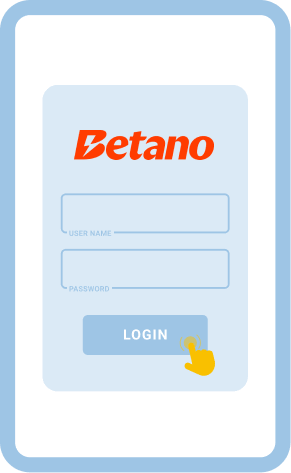
- Enter your details. Betano will need your email or username and password. Proceed to submit such information to log in.
How to Sign In to a Betano Account Through the Mobile App
Bettors who want to have more convenient access to their Betano accounts can use the bookie’s mobile app. It has developed dedicated apps for iOS and Android. As a result, you can log in and place bets wherever you may be. The app is compatible with iPhones, iPads, and Android smartphones and tablets. Ensure your device meets the operating system requirements, or even better, have the latest version. This ensures the best possible app performance.
| System Requirements |
Android |
iOS |
| OS Version |
Android 7.0 or higher |
Required iOS 15.0 or later |
| RAM |
2GB |
2GB |
| Storage space |
150MB or more |
Up to 300 MB |
| Internet |
At least 4G/Wi-Fi |
At least 4G/Wi-Fi |
There’s a slight difference in logging in through the app from the desktop. Here’s how it’s done.
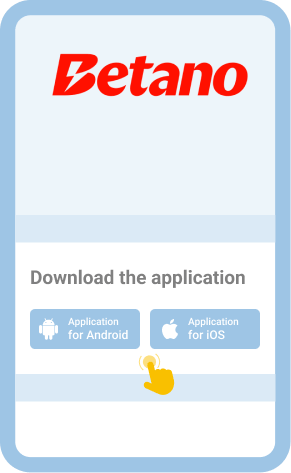
Visit the site through our link and scroll down to find the App section. Start installing.

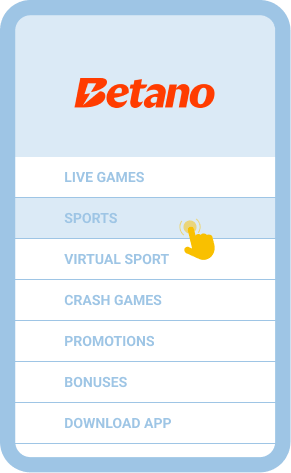
If it’s not on the app’s main home page, go to the main menu section.

The same credentials are required when logging in through the app. Enter them accordingly to proceed.

You can check thousands of matches daily at Betano. Explore your betting options and place your stakes.

Common Login Issues at Betano Nigeria
There’s not much to worry about when logging in at Betano. It comes with an intuitive interface, making it easier to navigate the website. However, we’re giving you a few common issues you may encounter as you log in. They rarely happen, but you should be ready if one of the following happens to you.
| Problem |
How to resolve it |
| Incorrect password |
The wrong combination of characters is the main reason why you’re getting an incorrect password error. Check if you have entered the correct code. If you easily forget things, you can save the password in your notes. |
| The page does not load |
Check the internet cables or your mobile data connection. It could also be that the website is under maintenance. If this happens, you can wait until the system is back up. |
| The app crashes |
Close and relaunch the app. Also, be sure to check that your device has enough space for the app. Otherwise, the crashes will continue to happen along the way. It’s also best to update your device’s operating system. |
| The account was locked |
Contact customer support for assistance. There are possibly verification steps to prove you’re the owner of the account. You may have entered an incorrect username, email, or password multiple times, and Betano has blocked you from accessing the account. |
Getting in Touch With Customer Service
You have several options when contacting Betano’s customer support. Each is efficient and responsive, ensuring that your concerns are addressed quickly. Whether it’s about logging in, account issues, or problems with betting, you can trust that the following channels will be available at your disposal.