

Established in 2018, BetKing immediately became one of Nigeria’s leading betting websites soon after its launch. With its focus on Nigerian players, numerous localised services, and Naira support, along with extensive football coverage and competitive odds, its popularity has continued to rise to the present day.

To participate in the online games and place bets, users must first log in to BetKing. Once logged in, they can access all the features of the platform, such as generous bonuses and quick withdrawals.

The login process at BetKing is effortless, but we will still discuss the steps very clearly so you can have the smoothest login experience possible.

BetKing Online Login

Ensure that you’re properly connected to the internet, then pick from the following login methods:

  • Mobile app – Recommended for mobile users (Download BetKing App)
  • Website – Offers all features but uses the most data (BetKing Website Login)
  • Lite version – Perfect for slow networks/older devices (BetKing Lite Login)
  • Mobile site – Mobile version of the site with full features (BetKing Mobile Site Sign-in)

How to Sign In to the BetKing Account through the the Website

The BetKing official website is the main gateway for players to access their betting account. The website can be opened on any device that is online – a desktop, a laptop, a smartphone, or even a tablet. No matter what device you decide to use, the process for logging in to the website remains the same.

  1. Open the BetKing site. For your security, use only the link that we have posted to open the official website.
  2. Click the Login button. Enter your username or mobile number and password, making sure everything is typed in correctly.
  3. Submit your details. Click on the cyan Login button to submit your info and gain access to your BetKing profile.

For users who are on older devices or have a slow internet connection, BetKing offers a lite version. With its simpler interface, it loads faster and uses less data, while offering the same betting features as the regular site. The login procedure is similar to that of the regular site as well.

  1. Open the BetKing mobile site. Follow the posted link to go directly to the lite version
  2. Switch to the mobile site. On the main website, tap the Switch to Mobile/Lite option.
  3. Click on Login. Enter your login details and password to access your BetKing account.

How to Sign In to the BetKing Account through the Mobile App

Good news for mobile players – BetKing has an app for both Android and iOS, so you can access your account no matter when and where you are. Both apps are free to download, and you can get them from the Google Play Store and the App Store, respectively. Just verify that your device meets the requirements before you start downloading.

System Requirements Android iOS
OS Version Android 5.0 or higher Required iOS 14.0 or later
RAM 2GB 2GB
Storage space 100MB 65,5 MB
Internet At least 4G/Wi-Fi At least 4G/Wi-Fi

If your device meets these requirements, you can proceed with the following steps:

1
Download the app

Go to the official Betking site, find links to Google Play Store or the App Store, and download BetKing.

Download the app

2
Open the app

Tap the BetKing app icon on your device homescreen to launch your newly installed app.
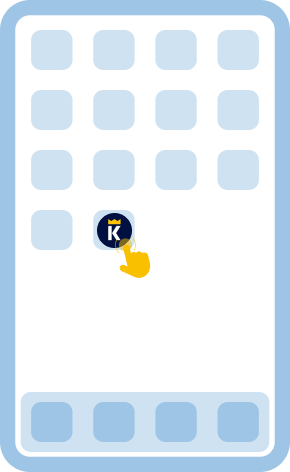
Open the app

3
Tap the Login button

Fill out the login form with your details, such as username, phone and password then tap Login to submit.
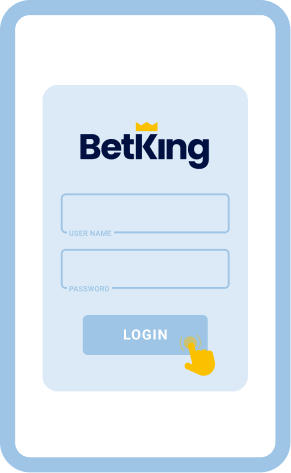
Tap the Login button

4
Access your profile

Make a minimum deposit, bet on sports, and explore the BetKing application.
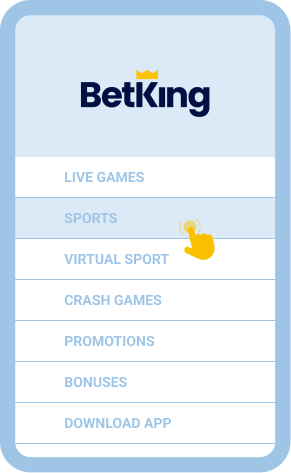
Access your profile

Cashback Bonus
100% up to 1000 NGN

Common Login Issues at BetKing Nigeria

The BetKing platform is so user-friendly that even beginners will not have any problem logging in to their account. The login steps are short, simple, and very straightforward.

But despite this, it’s not a completely foolproof process since login issues can still arise on occasion. Here are some of the possible bumps you might hit along the road, as well as suggested solutions on how to get past them.

Problem How to resolve it
Forgot password In the login form, tap the “Forgotten Password?” option, and follow the reset steps that you will receive in an email or SMS. If you don’t receive the instructions for any reason, contact support.
Login page won’t load If you’re on a weak internet connection, switch to a stronger network or Wi-Fi. Try logging in via the mobile lite version instead of the regular website for more efficient loading.
App crashes Check if there is a newer version of the app and update it accordingly. You can also close unnecessary apps running in the background, clear the cache, restart your device and try again.
Account lockout A temporary lockout happens if you try to log in without success several times in a row. Wait for the lockout period to pass, then use the “Forgot Password” link to reset your account.

Getting in Touch with Customer Service

If the solutions above don’t work, players are advised to contact customer support. BetKing offers multiple channels that players can use, including Nigerian phone numbers that local bettors can easily call. These channels will connect you directly to a customer support agent who can provide professional assistance.

FAQ

What if I haven’t logged in for a while – can I still access my account?
Yes, you can log in with your registered details at any time. If inactivity triggers restrictions, use the password reset tool or contact support to re-verify your identity and unlock your account quickly with minimal fuss.
Is it safe to log in to BetKing on public Wi-Fi?
Not really. Public Wi-Fi is riskier due to potential eavesdropping. Use a VPN or switch to secure mobile data where possible. Always ensure the official app or HTTPS site is used to protect your credentials and account details.
Can I sign in with biometrics on my phone?
Yes, biometrics login is supported by the BetKing platform. If your device supports fingerprint or facial recognition, you can enable this feature. It speeds up secure login after your initial password authentication has been entered once on your device.