iLot Nigeria Online Login
A stable internet connection is a basic requirement for logging in to the iLot platform. You can access your account using any of these methods:
- Mobile App – Available for Android and iOS users with relatively new devices. (Download iLot App)
- Website – Standard full-featured option (iLot Website Login)
- Mobile site – For mobile users with limited storage space (iLot Mobile Site Login)
How to Sign In to the iLot Nigeria Account through the Website
Using the website is the most conventional method for logging in to the iLot platform. It is also the easiest and thus, the most commonly used by Nigerian players. Not only that, but website login is also very accessible since any device can be used, provided it is connected to the internet.
The following step-by-step guide works perfectly, whether you are using a desktop or laptop, or a mobile device like a phone or tablet.
- Open the iLot website. Follow the posted link to go to the official iLot website. Avoid unverified links at all costs.
- Click the Login button. Choose between mobile and email login, or you can also log in with your Opay or PalmPay account.
- Fill out the form. Enter your login credentials very carefully, and click the green login button to access your iLot account.
How to Sign In to the iLot Nigeria Account through the Mobile App
Users who prefer to play while on the go can enjoy the convenience and portability of the iLot mobile app. There is a version of the app for both Android and iOS users, so pretty much anyone can download it, and it’s completely free.
| System Requirements |
Android |
iOS |
| OS Version |
Android 4.0.3+ |
iOS 12.0+ |
| RAM |
2GB |
2GB |
| Storage space |
100MB |
200MB |
| Internet |
3G/4G/5G/Wi-Fi |
3G/4G/5G/Wi-Fi |
Now, here are the steps for logging in to iLot via the app:
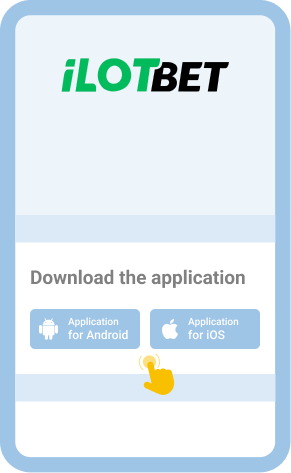
Scan the QR code on the official site using your Android/iOS phone or tablet to download the app for your device.

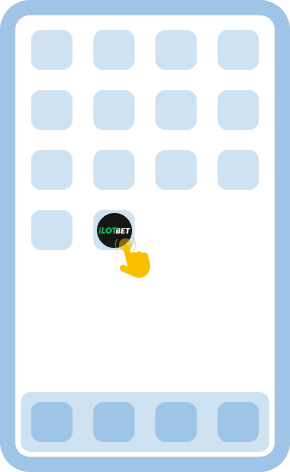
Upon finishing the download, tap the app icon to open it, and tap the Login button.

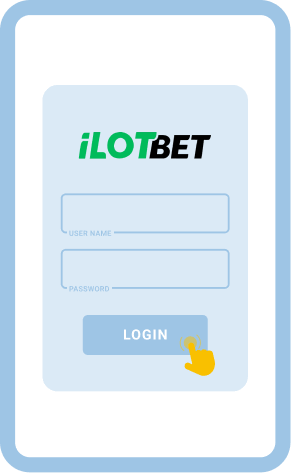
Type your email address/mobile number and password and tap on the Login button to access your account.

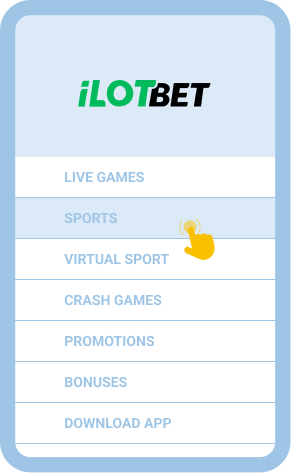
Once in, you can play any casino game and bet on any sports events in the platform.

Offline Login via SMS/USSD
Frugality in data usage is very important for Nigerian bettors who are keeping their internet costs under control. For this reason, iLot does have some USSD features for players, but these are mainly for payments and not for logging in. At the moment, there is no offline login option available at iLot. Players must be connected to the internet in order to log in.
Common Login Issues at iLot Nigeria
The login process at iLot is very easy, even for first-timers in the world of online betting. Ordinarily, users can get into the platform without any hiccups. However, even if you do everything properly, unexpected problems can still sometimes sneak in. Here are some common login issues that players might encounter and some trusted ways to work around them.
| Problem |
How to resolve it |
| Forgot password |
Use the “Forgot Password” link to reset via email or SMS, just make sure you still have access to the email address or phone number that you used to register. |
| Login page won’t load |
Switch to a more stable internet connection – if your data is acting up, it’s recommended to use Wi-Fi instead. You can also try clearing the browser cache or cookies, then try reloading. |
| App crashes |
Clear the app cache, then restart your device. Als,o make sure you have the most recent version of the app. If the crash persists, go to the iLot website and reinstall the app. |
| Account lockout |
This happens after too many failed attempts to log in. Wait until the temporary lockout period is over, then reset your password using the Forgot Password link to regain access to your account. |
Getting in Touch with Customer Service
If none of the proposed solutions above seem to work, it’s recommended that players get in touch with iLot customer support through any of the channels below. This way, they can get more focused assistance and be able to log in faster.
- Live Chat: available on the website and mobile app
- Telephone: +234 2018885889 / +234 2018885900
- WhatsApp: +234 8060037161
- Email: [email protected]