

The Mostbet brand has been on the global gambling scene for close to two decades, cementing its trust among most online betting enthusiasts, those from Nigeria included. Bettors have a wide array of wagering options to explore across multiple sports. Besides, the bookmaker offers competitive odds both for those into pre-game and live betting.

These are just some of the upsides that make the popularity of Mostbet Nigeria keep growing in Africa’s most populous nation. Users need to log in to their accounts to enjoy what the operator offers. The good thing is that the login process is stress-free.

Mostbet Online Login

Signing in to your Mostbet account is as easy as pie so long as your internet connection is working optimally. In addition, there are different ways to access your account using various devices. Below are the platforms the operator offers:

  • Mobile app. Available for both Android and iOS devices. (Download Mostbet App)
  • Desktop site. Requires more data, but has all features, both essential and advanced. (Mostbet Website Login)
  • Mobile site. Perfect for users with lower-end devices. (Mostbet Mobile Site Sign-in)

How to Sign in to Mostbet Account Through Website

This is the easiest way to log in with Mostbet Nigeria on any of the different devices the platform supports. Follow this straightforward guide to log in via the site:

  1. Visit the website. Open the official website of Mostbet in a web browser. Examples include Safari, Google Chrome, Firefox, etc.
  2. Enter your login credentials. Click on the “Log In” button, choose your preferred login method, and enter your login details.
  3. Click on the “Log In” button. Submit your details by clicking on the green Log In button. You should see your betting dashboard if your login details are correct.

How to Sign in to Mostbet Account Through the Mobile App

Mostbet offers a dedicated application for users with Android and iOS handheld gadgets, making the platform widely accessible through smartphones and tablets. Below is a table highlighting system requirements for Nigerian bettors keen on trying the app.

System Requirements Android iOS
OS Version Android 6.0 or higher iOS 11.0 or later
RAM At least 1.5GB RAM recommended At least 1GB RAM recommended
Storage space 100 – 150 MB At least 100 MB
Internet A stable internet connection, or at least a 3G mobile data network, for full optimum functionality A stable internet connection or at leasta 3G mobile data network, for full optimum functionality

The next step-by-step guide will help you log in through the app single-handedly:

1
Open the mobile site

Navigate to the official mobile site of Mostbet using Safari, Google Chrome, or any other phone browser.
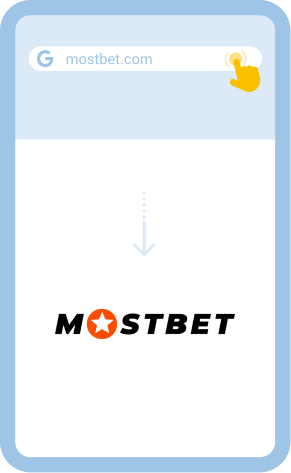
Open the mobile site

2
Download the application

Locate the application section and download the right app for your device. After that, install it.
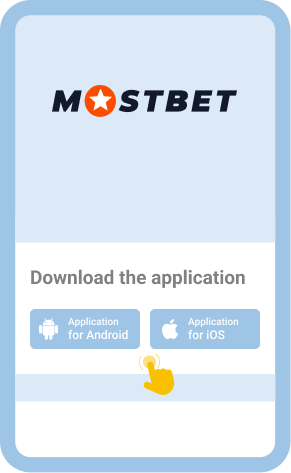
Download the application

3
Run the application

After installation, look for the app shortcut on the homescreen and tap on it to launch the application.

Run the application

4
Tap on the “Log In” button

Look for the Log In button, tap on it, choose your preferred login method and key in your details.
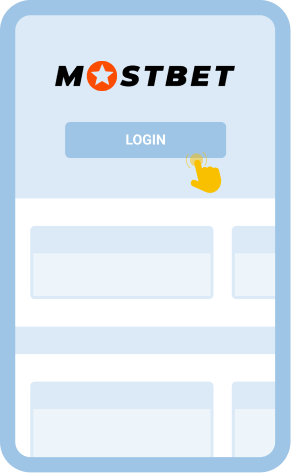
Tap on the “Log In” button

Welcome Bonus
125% up to 915 000 NGN
250 FS
Cashback Bonus
100% up to 530 000 NGN

Common Login Issues at Mostbet Nigeria

Users will likely encounter issues when trying to access their accounts – it happens even with the most user-friendly platform. Familiarity with common login problems and how to solve them goes a long way in ensuring continued access to your account.

The following table highlights some of the common login problems you might experience with Mostbet Nigeria and what you need to do to address them.

Problem How to resolve it
Forgot password Launch the platform and click on the “Log In” button. Next, click on the “Forgot your password?” option on the login form. Decide how you want to recover your password (by email or phone) and follow the easy onscreen instructions.
Login page won’t load Check whether your internet connection is stable. Consider switching to mobile data if the issue is with WiFi. You can also try to open the site using a different browser. Clearing the browser cache is another solution you should try.
App crashes Start by closing the app and clearing its cache memory. You can also free up space on your smartphone or tablet. If that doesn’t work, uninstall the application, go to the official mobile site of Mostbet, and download a fresh copy.
Account lockout The system may lock you out temporarily on account of too many unsuccessful login attempts. Don’t fret, give it some time and try logging in later. At least half an hour should be enough.

Getting in Touch With Customer Service

Chances are, some of these problems may persist, requiring you to seek help. Fortunately, Mostbet has a customer support department charged with the responsibility of providing solutions to whatever difficulties users might encounter with the platform.

Moreover, there are various ways of contacting them, including:

  • Email [email protected]
  • Live chat: Send an online chat message to an available support agent

FAQ

Is it possible to still access my account after being inactive for some time?
Absolutely! You can log in to your Mostbet Nigeria account even after being inactive for a while. Don’t worry if the technical team locks your account due to dormancy. You can contact them for help with login problems.
Is it advisable to sign in to Mostbet Nigeria on a public Wi-Fi?
While you can access your Mostbet account on a public Wi-Fi, doing so is risky. Such networks often have poor security protocols, making it easy for malicious elements in cyberspace to gain access to your account and cause harm.
Is the use of biometrics supported at Mostbet?
You can use your fingerprint or face ID to log in to your Mostbet account. However, the use of biometrics only applies to the dedicated mobile app. Browser-based access doesn’t allow you to use your fingerprint or face ID.