

Paripesa Nigeria Online Login
You can log into your Paripesa account if you have access to a computer or a mobile device that can connect to the internet and an internet connection. You just need to use a desktop browser, a mobile browser, or the bookmaker’s app.
- Mobile app - Ideal for Android and iOS users with newer and older phone models. (Download Paripesa App)
- Website - The safest and most straightforward way to access Paripesa, provided you have a strong Internet connection. (Paripesa Website Login)
- Mobile Site - Best for mobile users who don't want to download third-party software on their devices. (Paripesa Mobile Site Sign-in)
How to Sign in to Paripesa Nigeria Account Through the Website
This login option is ideal for bettors with personal computers and those who don’t like installing betting apps on their mobile gadgets or whose mobile devices aren’t supported by the Paripesa app. In fact, this is considered to be the easiest method to sign into the wagering platform, as exemplified by the simple steps explained below.
- Go to the bookie's official website via our trusted link. Click the link attached to this website to be taken directly to Paripesa Nigeria. You can also bookmark the Paripesa website for easier access in the future.
- Press the “LOG IN” button. This button is conspicuously placed at the top right corner of the website, and you must click it in order to open the login window.
- Enter your login details and sign in. Input your email address, user ID, or phone number in the first field and your password in the next field. Double-check the information you have entered and hit “LOG IN” if everything is okay.
Due to the swift loading speed of the website, you can access your account within a couple of seconds if your internet connection is also fast.
How to Sign in to Paripesa Nigeria Account Through the Mobile App
Paripesa has designed a downloadable mobile app. But if you want to know whether or not your mobile gadget is supported by the application, you should study its system requirements contained in the table below.
| System Requirements | Android | iOS |
|---|---|---|
| Version of the operating system | Android 5.0 or later | 12.0 or higher |
| RAM | Minimum 1GB | At least 1GB |
| Storage space | 100MB | 300MB |
| Internet | Data bundles or Wi-Fi | Data bundles or Wi-Fi |
If your mobile device meets all the system requirements, you should follow the steps illustrated below to login via the app.
Open the mobile site of the bookie using our reliable link and download the app from the footer of the website.
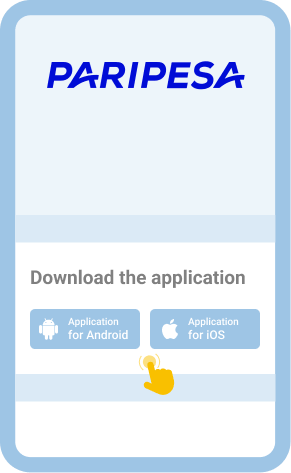
Follow the instructions that will pop up on your screen to install the application and then open it.

You will see the button at the upper part of the screen. You should then press it to access the login window.
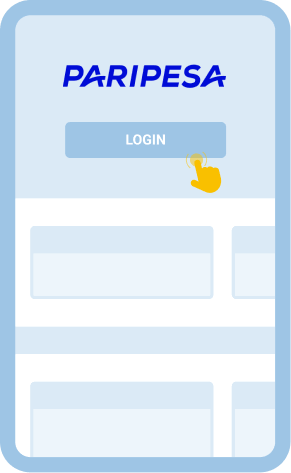
Enter your login credentials in the appropriate fields and tap “LOG IN” to sign into your account.
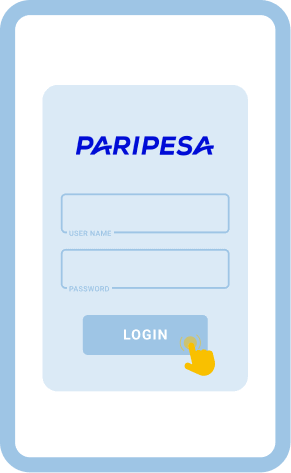
For faster login going into the future, you can save your biometrics in the app.

